
Digital Iceland
Install a widget for digital IDs
You can easily install a shortcut (e. widget) for digital driver's licenses on your mobile phone's home screen.
After installation, you can click on the shortcut to open the driver's license directly in the Ísland.is app and present it.
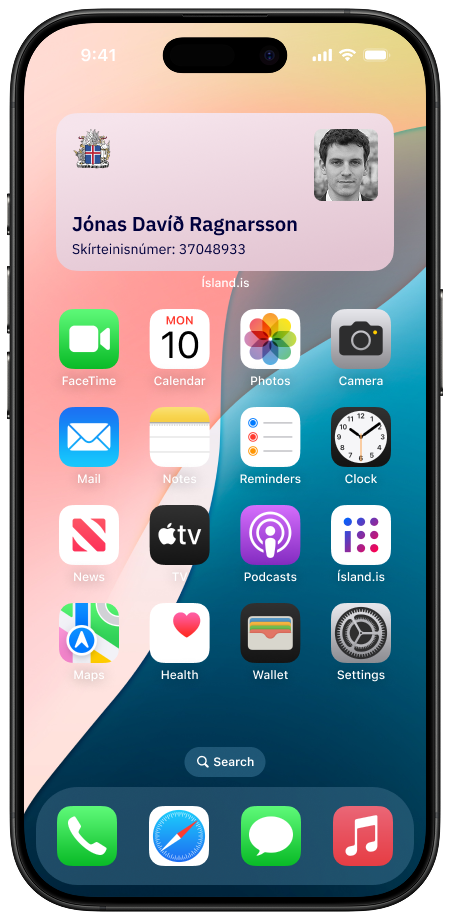
iPhone
Set up the Ísland.is app and complete the login with your electronic ID.
Unlock the phone and press and hold a widget or an empty area until the apps on the screen start to jiggle.
Press Edit in the upper left corner to make changes.
Select Add Widget.
Scroll down and select the Ísland.is app from the list of apps.
Select the license you want to display.
Press Add Widget to activate it.
Press Done.
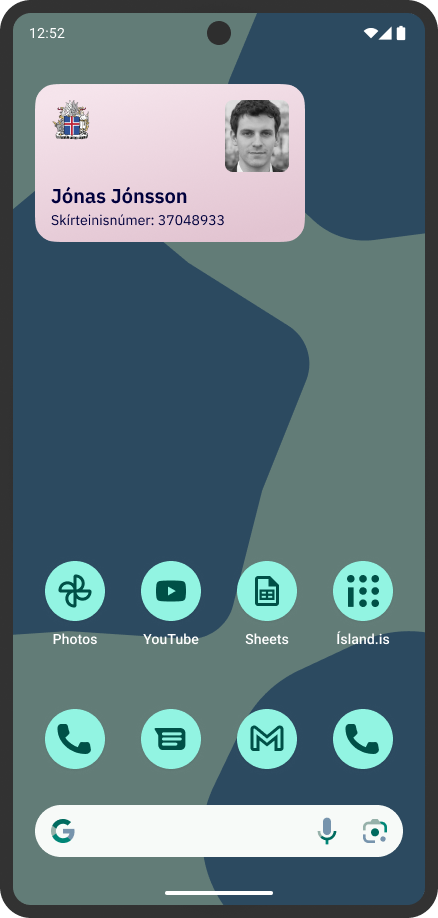
Android
Set up the Ísland.is app and complete the login with your electronic IDs.
Unlock the phone and activate the Widgets menu by pressing an empty area on the home screen.
Scroll down to find Ísland.is in the list of apps on the phone and select it.
Press Driver's license and then press Add.
Review the settings and press Save.
The widget will appear on the phone's home screen.
General:
During the process, you can enable login with a fingerprint or facial recognition if the user prefers.
Note that you can also choose to have other types of certificates, e.g. a firearms license, appear as shortcuts.
Note that you can move the widget and change its size on the home screen.