
Landspitali - University Hospital
Vinnustund
If Vinnustund doesn't open
If your computer's browser has a Pop-up blocker enabled, Vinnustund will not open.
Instructions on how to adjust the Pop-up blocker in different browsers:
In your IE browser, go to Tools in the menu bar and select Internet options.
Then, choose the Privacy tab. From there, if you want to:
disable the pop-up blocker, simply uncheck the "Turn on Pop-Up blocker" box.
keep the pop-up blocker active, you can add an exception. Select Settings and add the following exception: orri.is.
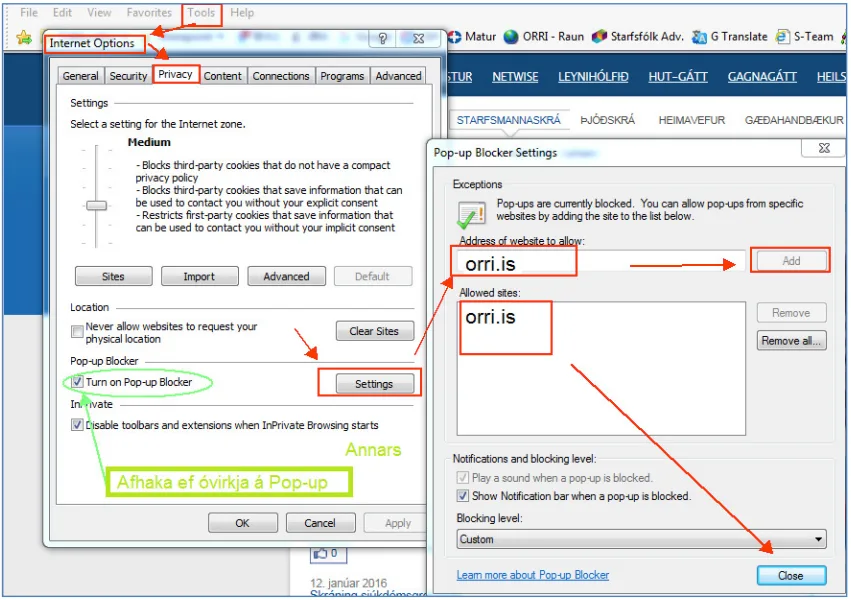
After this, you can click on Vinnustund, and it will no longer be blocked by the browser's Pop-up blocker.
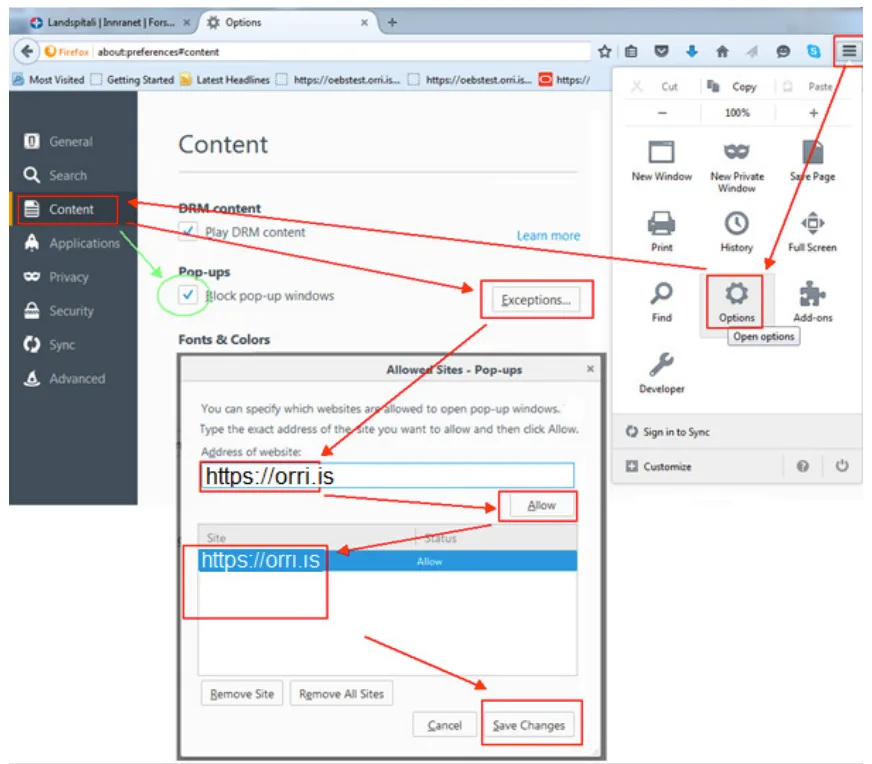
Click the three lines in the top right corner, then click Options or Settings (depending on the version of firefox you are using).
Click on Content or privacy and security (depending on the version of firefox you are using).
Click on Exceptions or Permission in the Pop-ups section.
Uncheck Pop-ups to turn it off (green in the image or Block pop-up windows).
If you want to keep the pop-up blocker active, add the address https://orri.is and click Allow button in the Address of website field (red in the image). Remember to include the prefix https: - Confirm with Save Changes.
After this, you can click on Vinnustund, and it will no longer be blocked by the browser's Pop-up blocker.
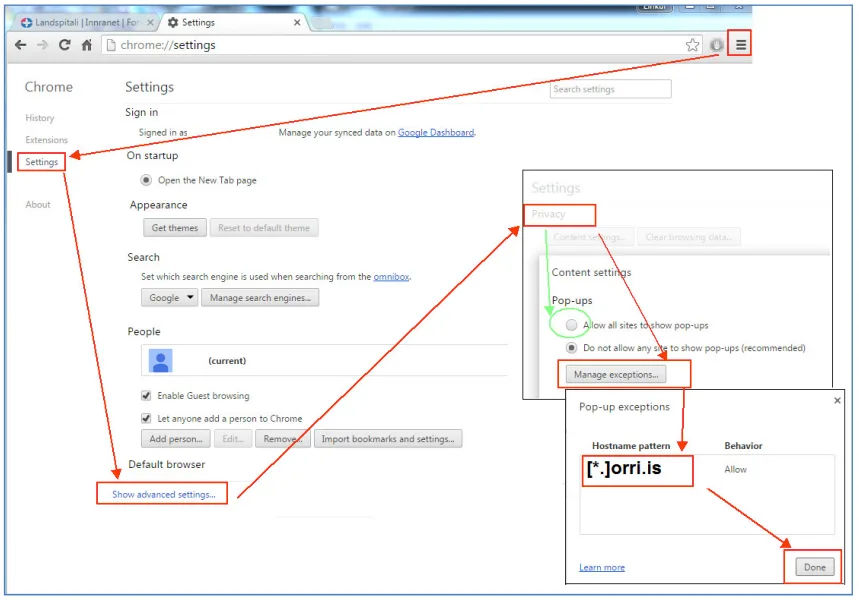
Click the three horizontal lines in the top right corner, then select Settings.
Scroll to the bottom of the page and click the Show Advanced Settings link.
Find the Privacy section and click the Content Settings button. From there, locate the Pop-ups section.
If you want to allow all pop-ups, select Allow all sites to show pop-ups (see green circle in the image).
If you want to create an exception for Vinnustund, click Manage Exceptions. In the empty field that appears, enter(*orri.is) (see image).
Then, press Enter and click Done.
After completing these steps, you can click on Vinnustund, and it will no longer be blocked by the browser's Pop-up blocker.
Instructions in Icelandic language
Self-service in Vinnustund (.pdf)