
Electronic Communications Office
Five minutes that could make all the difference in an emergency
1st October 2026
Today's smartphones are much more than devices for making calls, sending messages, taking photos and finding our way around major cities abroad. In our pockets, we carry powerful safety tools that can help us contact the emergency services, send our location to 112, and store and provide vital information for emergency responders. The latest devices can even establish an emergency connection via satellite in places with no mobile coverage. But to benefit from these features, we need to know about them. In some cases, we also need to set them up in advance so that they work as intended.
Today's smartphones are much more than devices for making calls, sending messages, taking photos and finding our way around major cities abroad. In our pockets, we carry powerful safety tools that can help us contact the emergency services, send our location to 112, and store and provide vital information for emergency responders. The latest devices can even establish an emergency connection via satellite in places with no mobile coverage.
But to benefit from these features, we need to know about them. In some cases, we also need to set them up in advance so that they work as intended.
When we call 112, our phone can help locate us
Smartphones can use a technology called Advanced Mobile Location (AML) to determine a caller's location and send it to the emergency services. To do this, the phone can use satellite positioning, Wi-Fi and information from the mobile network, among other sources.
AML has been implemented in Iceland and can therefore help emergency operators locate callers. This can be particularly important during an emergency call if location information from the mobile network is unavailable, or if people do not know exactly where they are, cannot describe their location or are unable to communicate for any reason.
It is important to remember, however, that location technology is an aid, not a guarantee that a completely accurate location will be transmitted in every case. Whenever we can give an emergency operator information about our location, we should always do so.
In an emergency, always try calling 112 first, even if the phone indicates little or no coverage on your mobile service provider's network.
Emergency calls receive special treatment on mobile networks, and a phone can generally place an emergency call through another available mobile network if necessary. We should therefore not give up trying to call simply because our provider's usual service appears to be unavailable.
Satellite emergency communication comes to Iceland
An important change took place in 2026 for users of certain Apple devices in Iceland: Emergency SOS via satellite is now available here.
Owners of an iPhone 14 or later running iOS 26.4 or later can use a satellite connection to send emergency messages when neither mobile coverage nor Wi-Fi is available. Apple specifically lists Iceland and the emergency number 112 among the countries and numbers supported by the service. This feature has seen considerable use this summer.
This can be particularly important, for example, for people travelling in the Icelandic highlands or other areas with limited mobile coverage.
However, a satellite connection works differently from a normal mobile connection. Users generally need to be outdoors with a clear view of the sky and horizon. The phone guides them on how to point the device to connect to a satellite. Communication with the emergency services then takes place through text messages.
Once a connection has been established, the information transmitted can include the user's location, elevation, battery level and answers to questions about the emergency. If the user has set up Medical ID and emergency contacts and keeps these details up to date, this information can also assist the emergency response.
Comparable satellite emergency features are not automatically available on all new smartphones. It should also be noted that sending satellite emergency messages to 112 in Iceland is not currently available on Android phones.
A satellite connection is not a substitute for a conventional emergency call. Always try calling 112 first in an emergency.
Civil Protection alerts can appear directly on your phone
A smartphone can also receive important alerts from the Icelandic authorities. Iceland's Civil Protection authorities can send emergency alerts by SMS to mobile phones within a defined area when a serious threat or emergency arises or is imminent. The messages are sent from mobile base stations to phones in the affected area. It is important not to disable SMS messaging.
The advantage of this technology is that users do not need to register for the service or download an app. A compatible, up-to-date phone that is switched on and within the area covered by the alert should be able to receive the messages.
This can be useful, for example, when urgent information or instructions need to reach people in a particular danger zone quickly.
Your phone can even warn you about an earthquake
The Android Earthquake Alerts System is active in Iceland. It uses motion sensors in Android phones to detect earthquakes and can send alerts to users in the affected area, sometimes a few seconds before the shaking is felt.
Google says that alerts may be issued for nearby earthquakes of magnitude 4.5 or greater. The system is enabled by default on supported Android phones, but you can check it under "Safety & emergency" and then "Earthquake alerts". Wi-Fi or mobile data must be enabled to receive an alert.
At the time of writing, the author was unable to find conclusive information on whether Enhanced Safety Alerts on Apple phones work in a similar way in Iceland.
Newer phones also include features that detect a collision or a fall by the phone's owner. The phone then makes an emergency call automatically.
Making an emergency call from a locked phone
We do not need to know a phone's PIN to use it to make an emergency call. Both iPhone and Android phones allow users to make emergency calls from a locked phone. This can matter when someone other than the phone's owner needs to call for help.
Most recent smartphones also offer some form of Emergency SOS feature that can be activated quickly using the phone's buttons. The exact procedure varies depending on the phone model and its settings.
It is a good idea to learn how to activate the SOS feature on your own phone before an emergency occurs. There is no need to test it by calling 112. Take some time to read the phone's instructions and explore its settings when there is no pressure.
Can an emergency responder find your emergency contact?
iPhone offers Medical ID, while Android phones provide similar options for recording emergency information.
These allow us to add emergency contacts and, should we choose to, important medical information. The settings can be adjusted to make this information accessible from a locked phone.
This means that, for example, if we are involved in an accident, the first person on the scene or an emergency responder may be able to find out whom to contact without having to unlock the phone.
Setting this up takes only a few minutes, but it can be extremely useful when it matters most.
The 112 app - an Icelandic way to ask for help
There are also good reasons to have the 112 emergency service app on your phone. The app lets you contact 112 without making a phone call. Clear menus help users describe what has happened, after which a text conversation with an emergency operator opens.
The app was originally developed for people with hearing impairments, but it can, of course, be used by anyone who has it correctly set up on their phone.
Once contact has been established with an emergency operator, the location of the incident is sent to the 112 emergency service, together with the information provided about what happened. The app can therefore be particularly useful when it is difficult to speak or describe a location.
It is also worth noting that the 112 emergency service can be contacted through the 112 web chat at www.112.is.
Our phones also protect our data
Smartphone safety and security features are not limited to emergencies. Recent phones offer increasingly strong protection against theft and unauthorised access. Biometric authentication using fingerprints or facial recognition, data encryption, and the ability to locate and remotely lock a lost phone are now part of the basic security features of many devices.
It is also worth regularly reviewing who can access our location and which apps have permission to track it. The 112 emergency service highlights, among other things, the importance of using a secure screen lock and reviewing apps' location permissions. On iPhone, for example, Safety Check can be used to review which people and apps have access to the user's information and location.
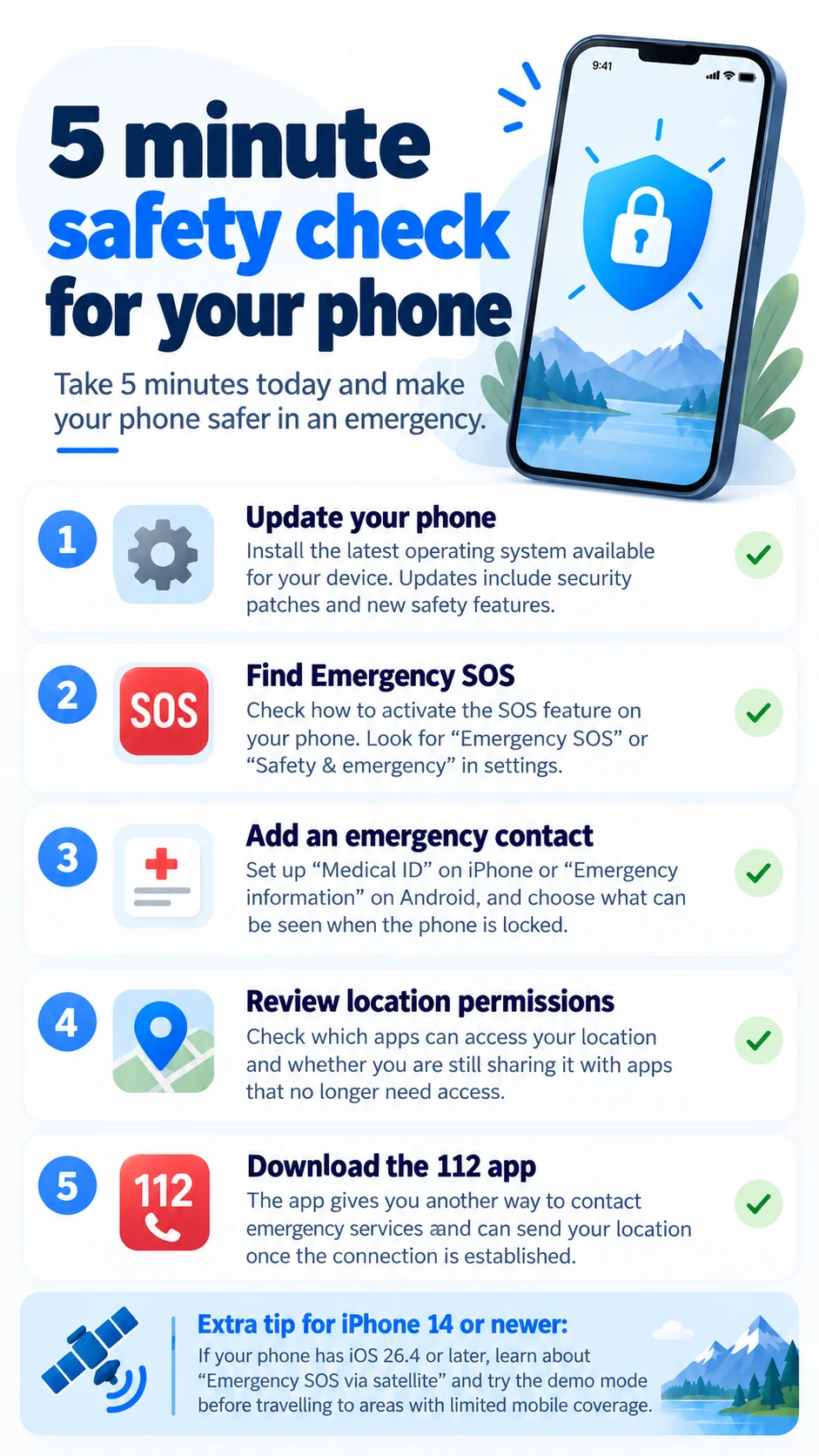
A five-minute safety check for your phone
☑ 1. Update your phone
Make sure your device has the latest operating system version available for it. Updates include both security improvements and new safety features.
☑ 2. Find Emergency SOS
Check how to activate the SOS feature on your phone. Look for "Emergency SOS" or "Safety & emergency" in Settings.
☑ 3. Add an emergency contact
Set up "Medical ID" on an Apple iPhone or "Emergency information" on Android, and choose which information can be displayed when the phone is locked.
☑ 4. Review location permissions
Check which apps can access your location and whether you are sharing it with any apps that should no longer have access.
☑ 5. Download the 112 app
The app provides another way to contact the 112 emergency service and can send the location of the incident once contact has been established.
Extra tip for iPhone 14 or later: If your phone is running iOS 26.4 or later, familiarise yourself with Emergency SOS via satellite and try the Satellite Connection Demo before heading somewhere with potentially limited mobile coverage.
Safety starts before an emergency happens
Smartphones can now do an extraordinary amount to help keep us safe. They can connect us to 112, help the emergency services find us, and store and provide information that may be important when we are unable to provide it ourselves.
But remember that technology is not infallible. Batteries can run out, phones can be damaged, and mobile or satellite connections may be unavailable.
The best safety tool is therefore a phone that is up to date, charged and correctly configured, together with a well-informed owner. And finally, when travelling, let us not forget to check the weather forecast. Safe travels!