Service web for web masters: Adding new content
New article (article)
One article answers one user's need.
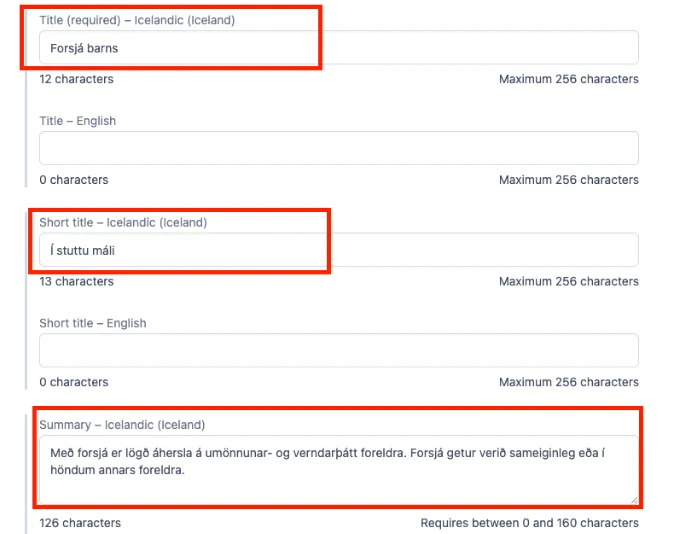
When creating a new article (Article), select Add Entry and then Article. Then you have to fill out
Title - which is the title of the page
Short title - which is the title at the top of the summary
Summary / Summary - a short text that appears when searching Google and is included in the article if it is shared e.g. on Facebook.
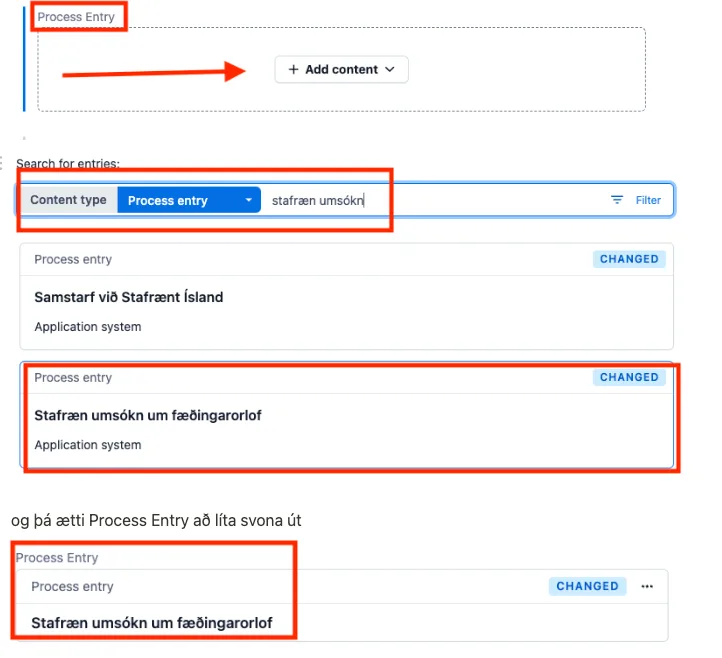
3. If there is to be an action or functionality available, go to Process entry and Add content and search for what is to be available, or create a new Process entry.
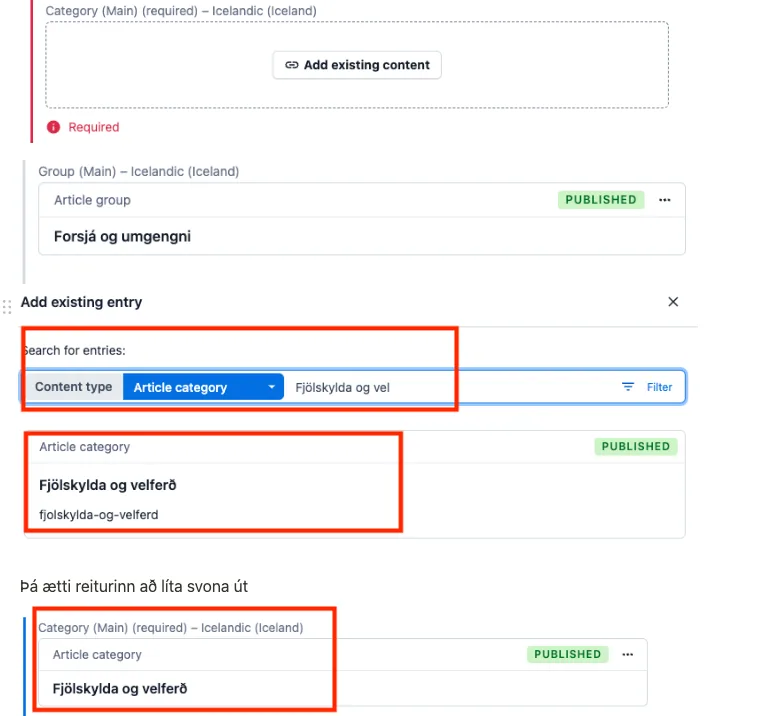
4 -7. You have to choose under which category (Article category) the article belongs. You can search by clicking on Existing content and selecting from a list - it is good to use the search and then select the category.
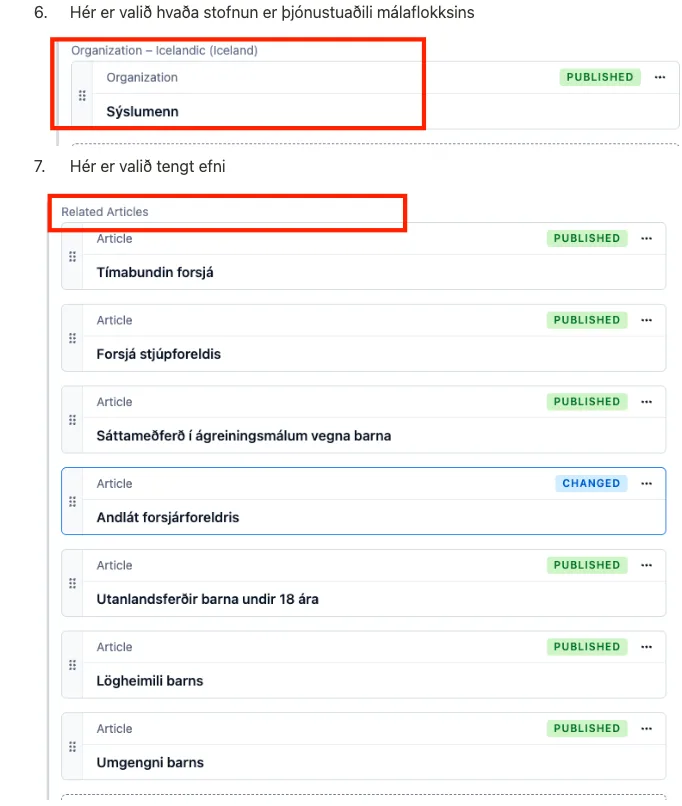
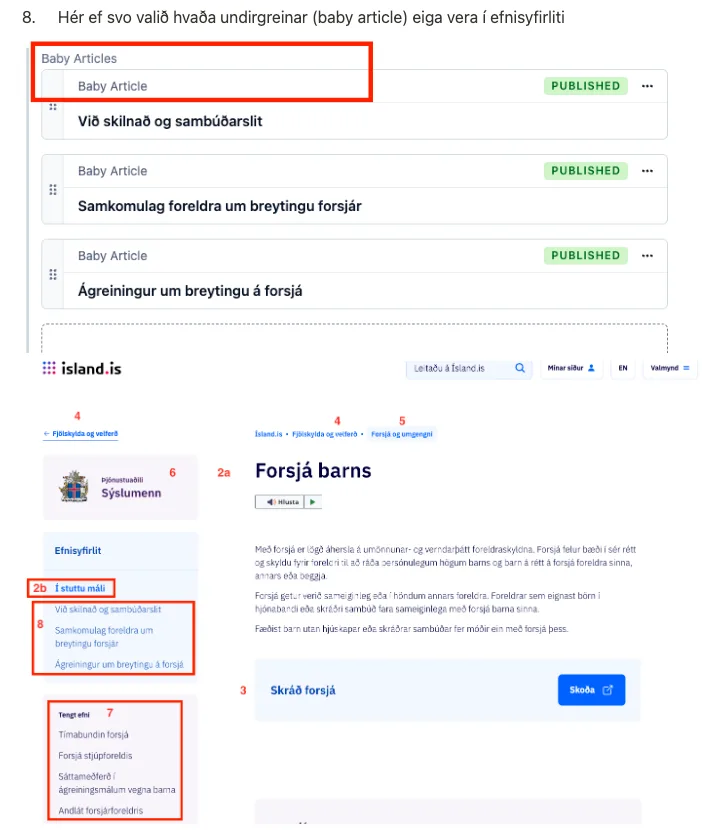
8. Finally, if Baby articles related to this topic are to be included in the article's index of contents (not necessary), the choice is made.
Service web for web masters
Ertu með ábendingu eða spurningu?